Generate a JWT on your server and pass it to OneSignal.login so clients cannot impersonate another External ID or attach email and SMS subscriptions they do not own.
Generate a JWT on your server and pass it to OneSignal.login so a client cannot impersonate another External ID. The same token can authorize adding email and SMS subscriptions and selected User REST API calls.Enable Identity Verification to secure:
Logging in users
Adding email subscriptions
Adding SMS subscriptions
Modifying user identities
Identity Verification (beta) currently supports mobile only. The Web SDK is not supported. Enabling it is an app-level setting. If the same app also uses the Web SDK, web login, addEmail, and addSms calls will fail until Web support ships. Do not enable Identity Verification on an app with an active Web SDK integration.
Identity Verification enabled for the app. Contact support@onesignal.com so the Identity Verification section appears under Settings > Keys & IDs. Then complete the setup below. Turn on the Token Identity Verification toggle last.
The JWT login overload ships in the native Android and iOS SDKs listed above. Flutter, React Native, Unity, and Cordova do not expose login(externalId, token) yet. The Web SDK is not supported. Because the dashboard toggle is app-wide, do not enable it until every client that calls login can send a JWT.
Complete these steps in order. Do not turn on the dashboard toggle until your backend can mint JWTs and your app can pass them to login.
1
Generate new keys
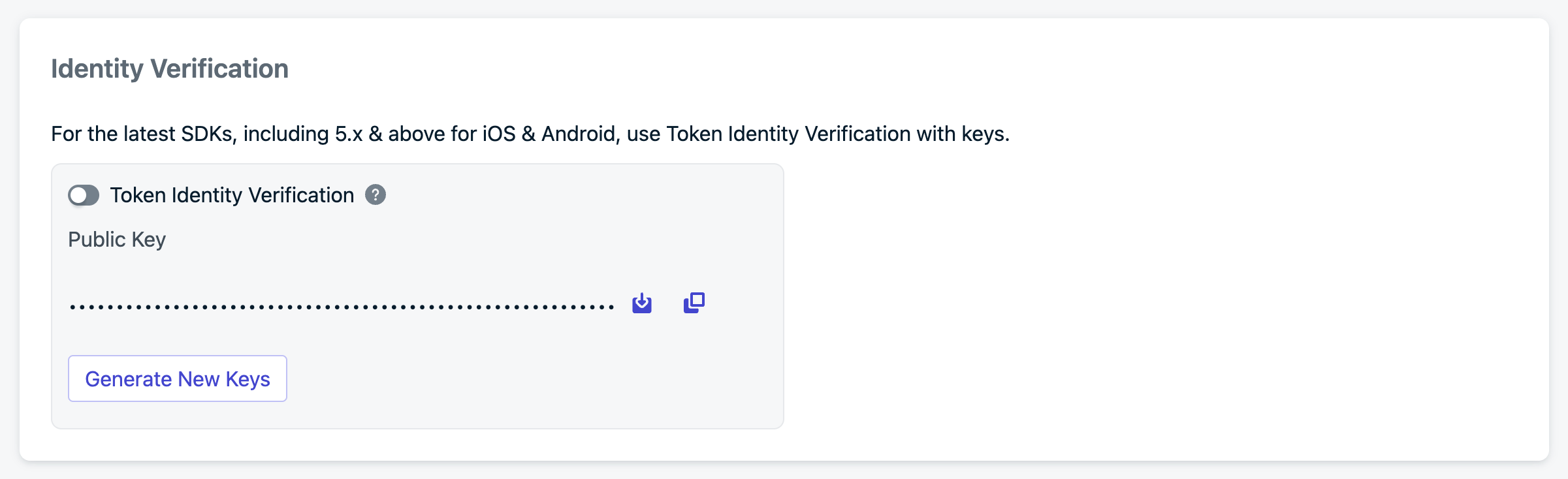
Log in to your OneSignal account and go to Settings > Keys & IDs > Identity Verification.
Identity Verification configuration
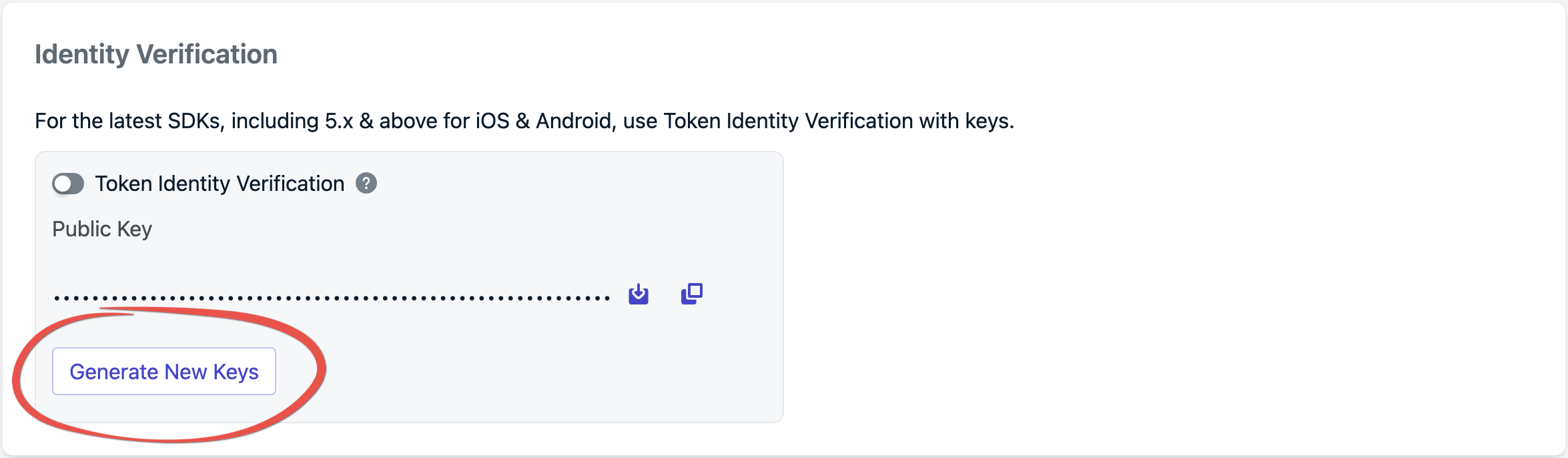
Click Generate New Keys to create a new key pair.
Creating new key pair
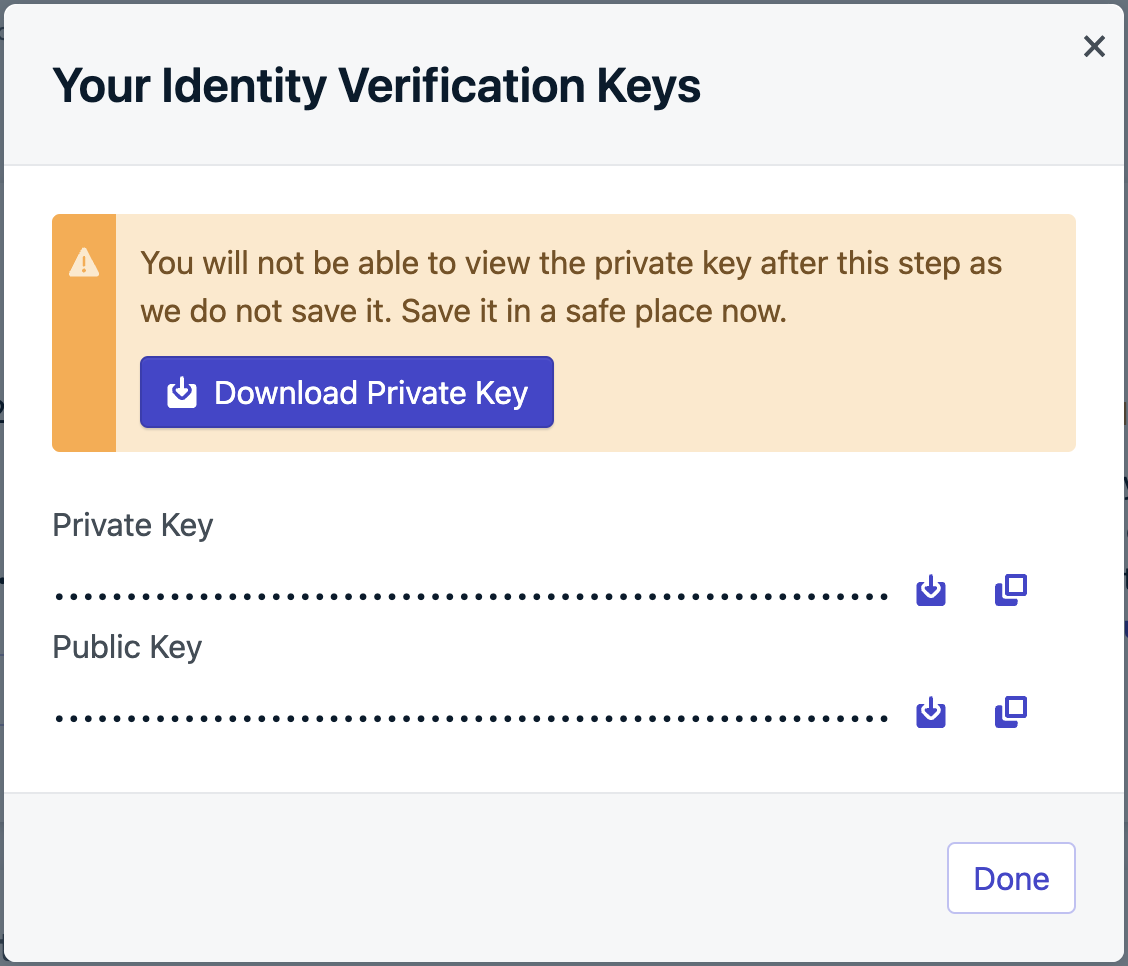
Download the PEM file or copy the private key and store it securely. This private key is not an App API key. Use it only to sign Identity Verification JWTs.
Identity Verification key pair
Always store private keys in a secure environment, such as a key management system. Never expose private keys in client-side code, public repositories, or logs.
2
Generate a verification JWT on your backend
Authenticate the user with your own server before logging them into OneSignal. When that auth succeeds, mint the JWT and return it to the device in the auth response. If your app has no backend, stand up a small server whose only job is to verify users and sign these tokens.
Sign the JWT with the ES256 algorithm (ECDSA using P-256 and SHA-256). Other algorithms are rejected. Use a JWT library rather than assembling the token by hand.Example using jsonwebtoken. Pass the PEM private key you downloaded in the previous step:
Include email and SMS in the JWT at login when you already have those values. If they arrive later, mint a new JWT that includes the subscriptions claim and pass it to updateUserJwt before you call addEmail or addSms. See Adding subscriptions.
Call login with the External ID and the JWT. Until Token Identity Verification is enabled in the dashboard, the second argument is ignored. After you enable the toggle, login without a valid JWT fails.
When a JWT expires, the SDK fires an invalidation event. Fetch a new token from your backend and pass it to updateUserJwt. You can use the same endpoint to mint a token that includes email or SMS if the original login token did not.
Replace fetchOneSignalJwt with a call to your backend. Do not sign JWTs on the device.
5
Enable Token Identity Verification in the dashboard
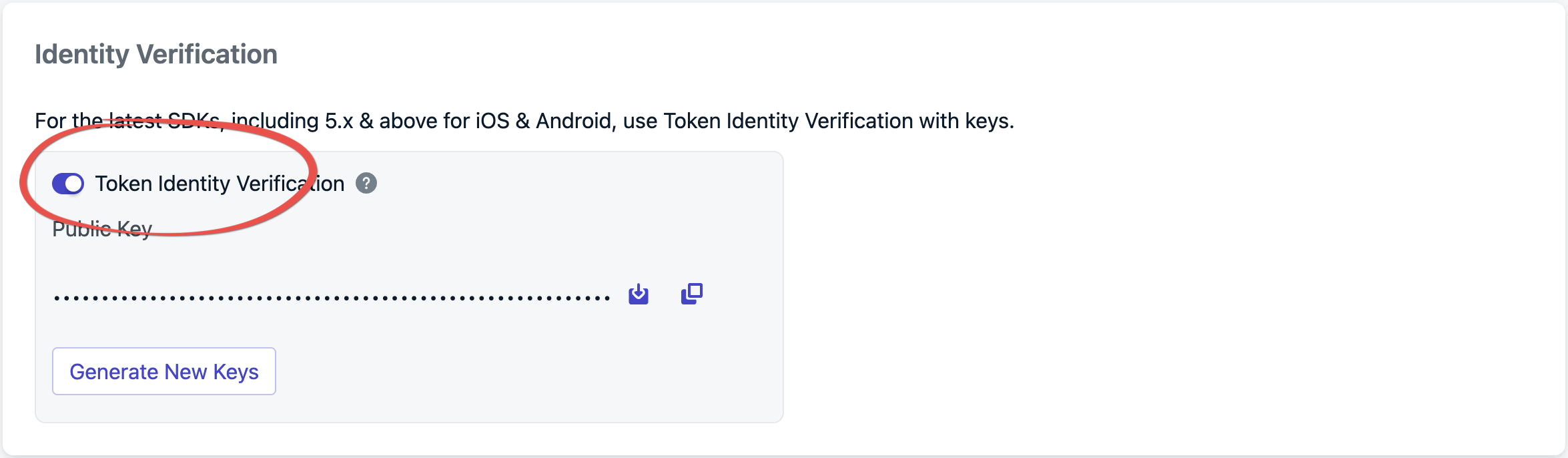
From Settings > Keys & IDs, turn on Token Identity Verification.
Enabling Token Identity Verification
After this toggle is on, the app must call login with a JWT, and the User REST APIs listed below must send that JWT as a Bearer token. The toggle applies to the entire app. Leave it off if you still use the Web SDK or a wrapper SDK that cannot send a JWT.
If the login JWT already includes the email or phone number in subscriptions, login associates those subscriptions with the user. You do not need a second call.If the address is not in the JWT yet, mint a new token that includes it, call updateUserJwt, then call addEmail or addSms. Do this on every platform. addEmail / addSms alone is not enough once Token Identity Verification is on.
Identity Verification JWTs are not App API keys. Other endpoints (for example Create message) still use Authorization: Key YOUR_APP_API_KEY. See Keys & IDs.When Token Identity Verification is enabled, the User and Subscription endpoints below authenticate with the identity JWT instead:
Authorization: Bearer YOUR_ONESIGNAL_JWT
Mint that JWT the same way as for SDK login. The identity.external_id in the token must match the user the request operates on.
No, but it is strongly recommended for production apps. Without it, any client that knows a user’s External ID can impersonate that user and modify their subscriptions or data.
I toggled “Identity Verification for email + external_id” in Keys & IDs, but I don’t see the Identity Verification section. Why?
Legacy Identity Verification toggle in Keys & IDs
That toggle is a separate, legacy setting for OneSignal SDK v3/v4. It is not the JWT-based Identity Verification (beta) on this page. Contact support@onesignal.com to enable the beta, then use Generate New Keys under Keys & IDs > Identity Verification. See Generate new keys.
Native Android SDK 5.9.0+ and iOS SDK 5.3.0+. Flutter, React Native, Unity, and Cordova do not expose login(externalId, token) yet. The Web SDK is not supported. The dashboard toggle is per-app, not per-platform, so enabling it breaks any client in that app that still calls login without a JWT.
The SDK fires a JWT invalidation event. Implement addUserJwtInvalidatedListener (see Handle JWT lifecycle events) to fetch a new token and pass it to updateUserJwt.
Only after you enable Token Identity Verification. Then the User and Subscription endpoints require Authorization: Bearer YOUR_ONESIGNAL_JWT. They do not accept the App API key for those calls. Create message and other non-user endpoints still use Authorization: Key YOUR_APP_API_KEY.
When Identity Verification is enabled, logout() disables the push subscription. The subscription stays associated with that user. Calling login with a JWT restores the previous subscription status. You do not need to call optIn() again.On Android (Kotlin), logoutSuspend() is the non-blocking equivalent of logout().