This guide explains how to set a user’s language in OneSignal and send messages in their preferred language across push notifications, emails, and in-app messages.
Set user’s language
OneSignal automatically sets the language property from the device’s language when a user is first created using the web or mobile SDKs.
You can also manually set or update the user’s language using the ISO 639-1 2-letter language code with:
- The SDK’s
setLanguage method.
- The
language field in the Create user or Update user APIs.
- The
language column in the CSV Importer.
Send messages in different languages
Use tabs below to view localization options by messaging channel.
Push Notifications
Email
In-app messages
SMS
Dashboard sending
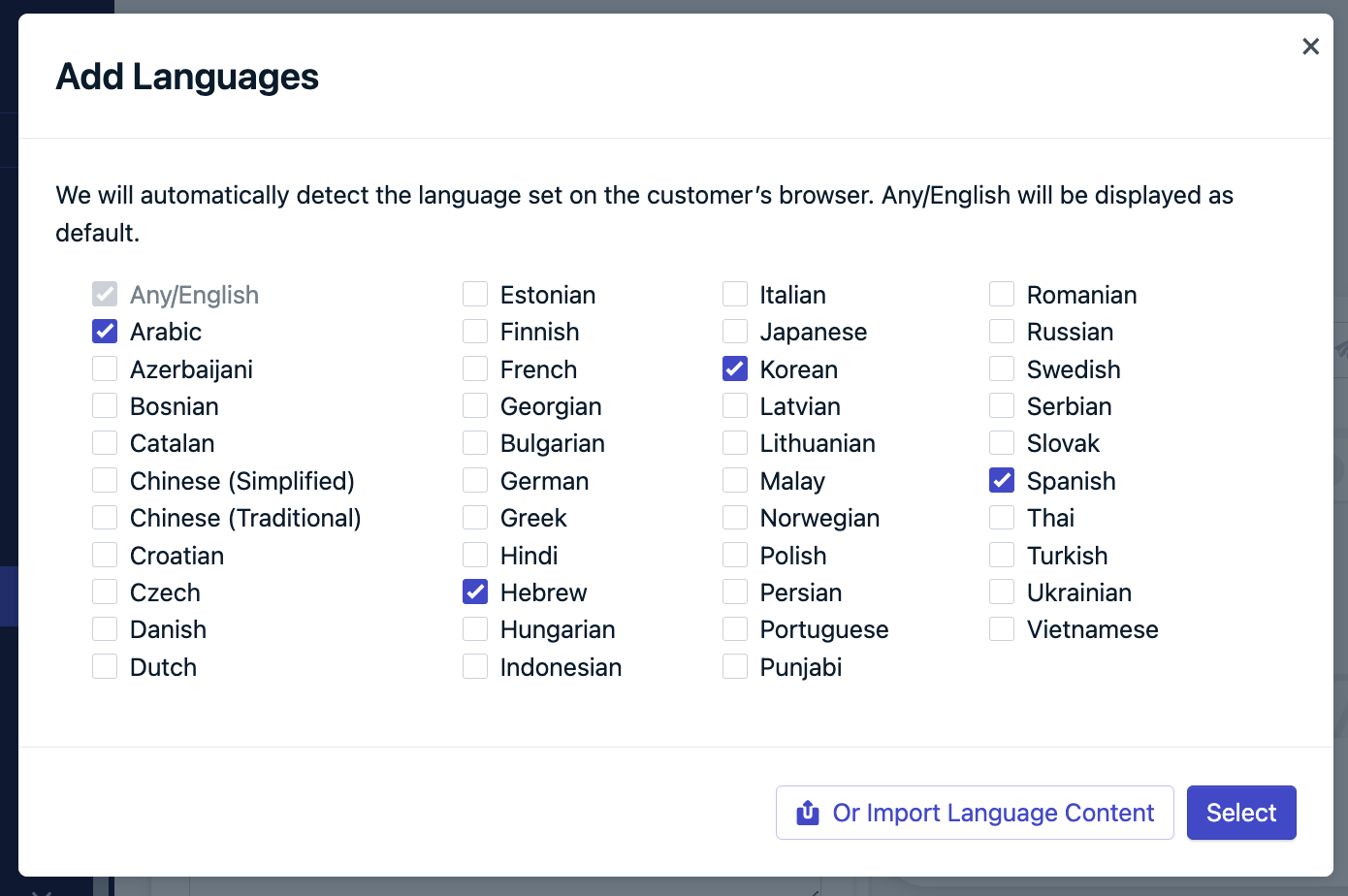
From Messages > Push > New Message or Templates, click Add Languages. Choose from:Option 1: Checkboxes
Select languages you support. Any language not selected will fall back to Any/English.Using checkboxes to select the languages.
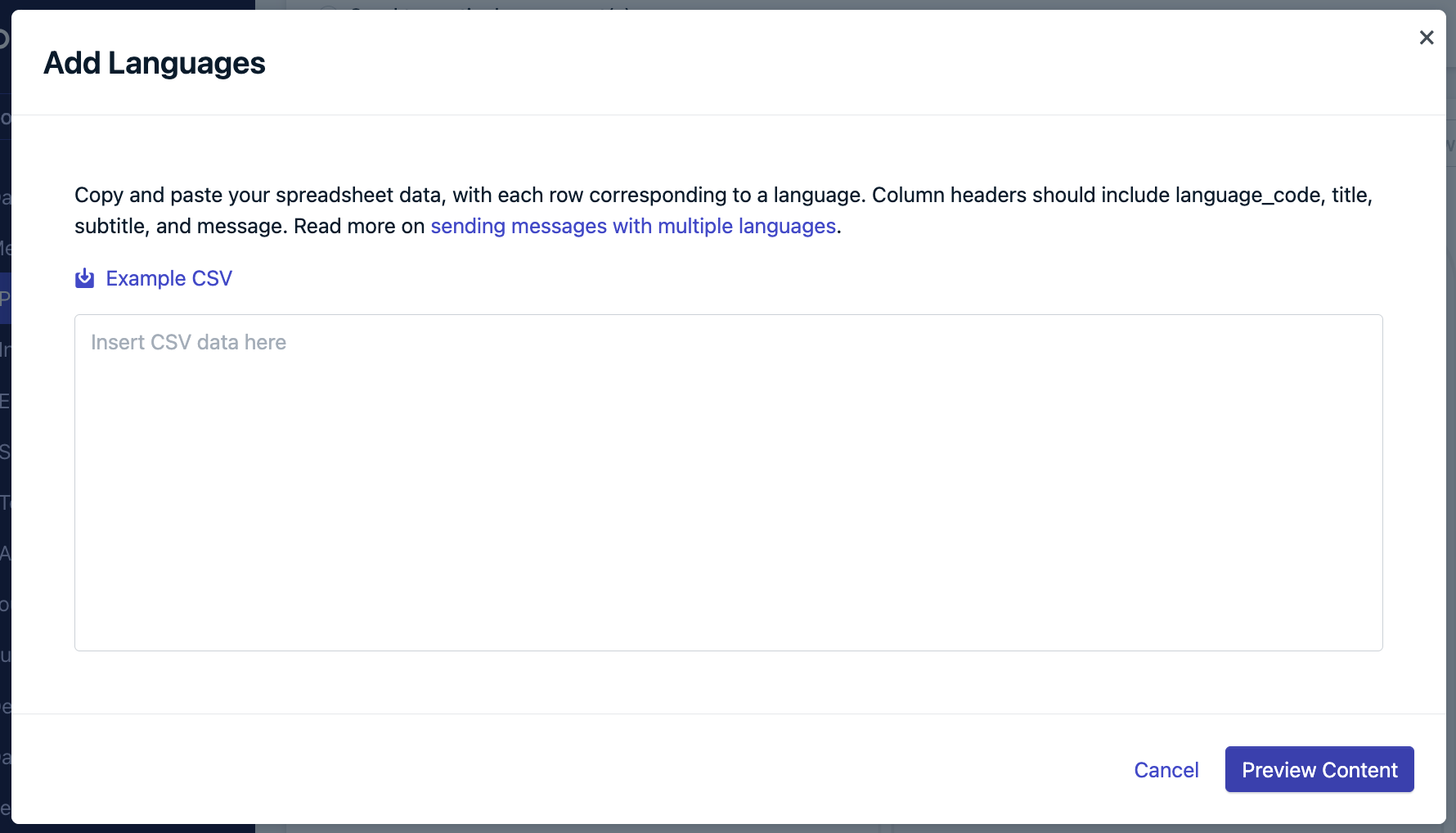
Option 2: Import language content
Use the provided template to format the message in each language.Modal to copy and paste data from a spreadsheet.
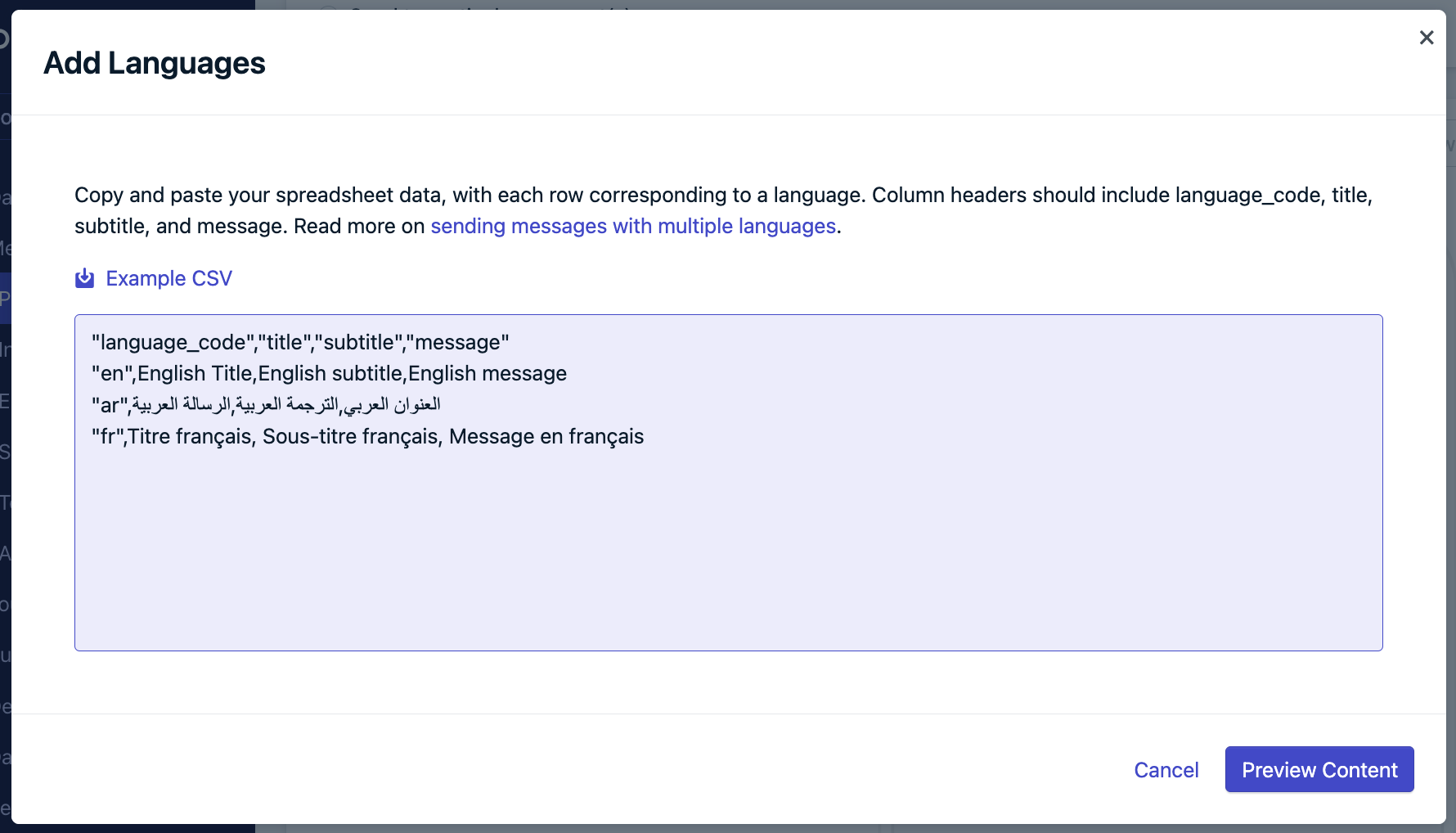
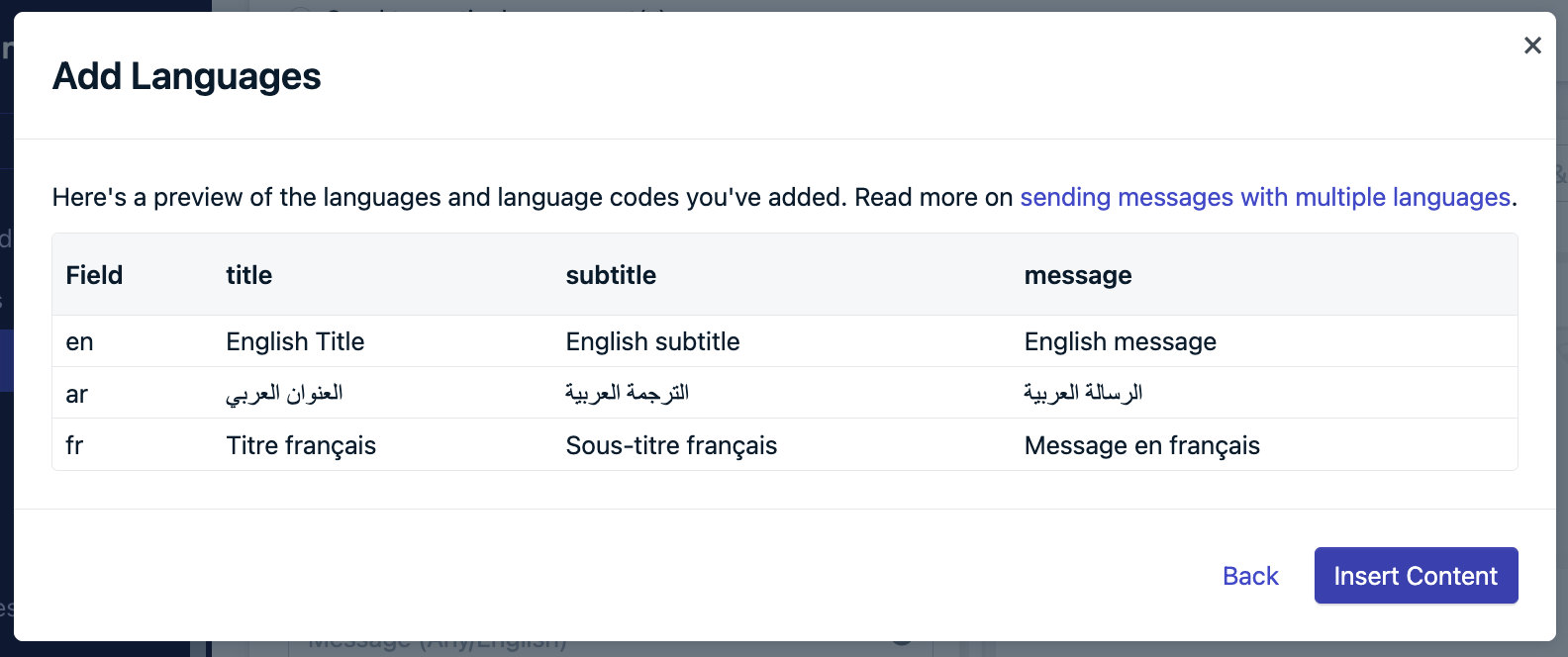
Copy and paste the content back into the “Add Languages” field.Preview content to double-check, insert content, and new tabs will appear in the editor with the designated content filled out.Option 3: Dynamic Content
Use Dynamic Content which involves creating and uploading a CSV file with the languages you support.Troubleshooting
- English required: Include a row for
en as default.
- Use correct headers:
language_code, title, subtitle, message
- Comma-separated values: Ensure proper CSV formatting.
- Unsupported language: If not listed in the UI or template, it’s not supported. Use the next best option and contact
support@onesignal.com.
The dashboard editor uses a standard HTML field. Special characters like % may cause display issues in RTL languages. Add RLM marks after such characters to fix formatting problems.
API sending
The contents and headings fields support multiple languages: {
"contents": {
"en": "English content",
"fr": "French content"
},
"headings": {
"en": "English heading",
"fr": "French heading"
}
}
Dashboard sending
From Messages > Email > New Message or Templates, choose from:Option 1: Segments
- Create a segment for each language.
- Create a template per language.
- Send each to its corresponding segment.
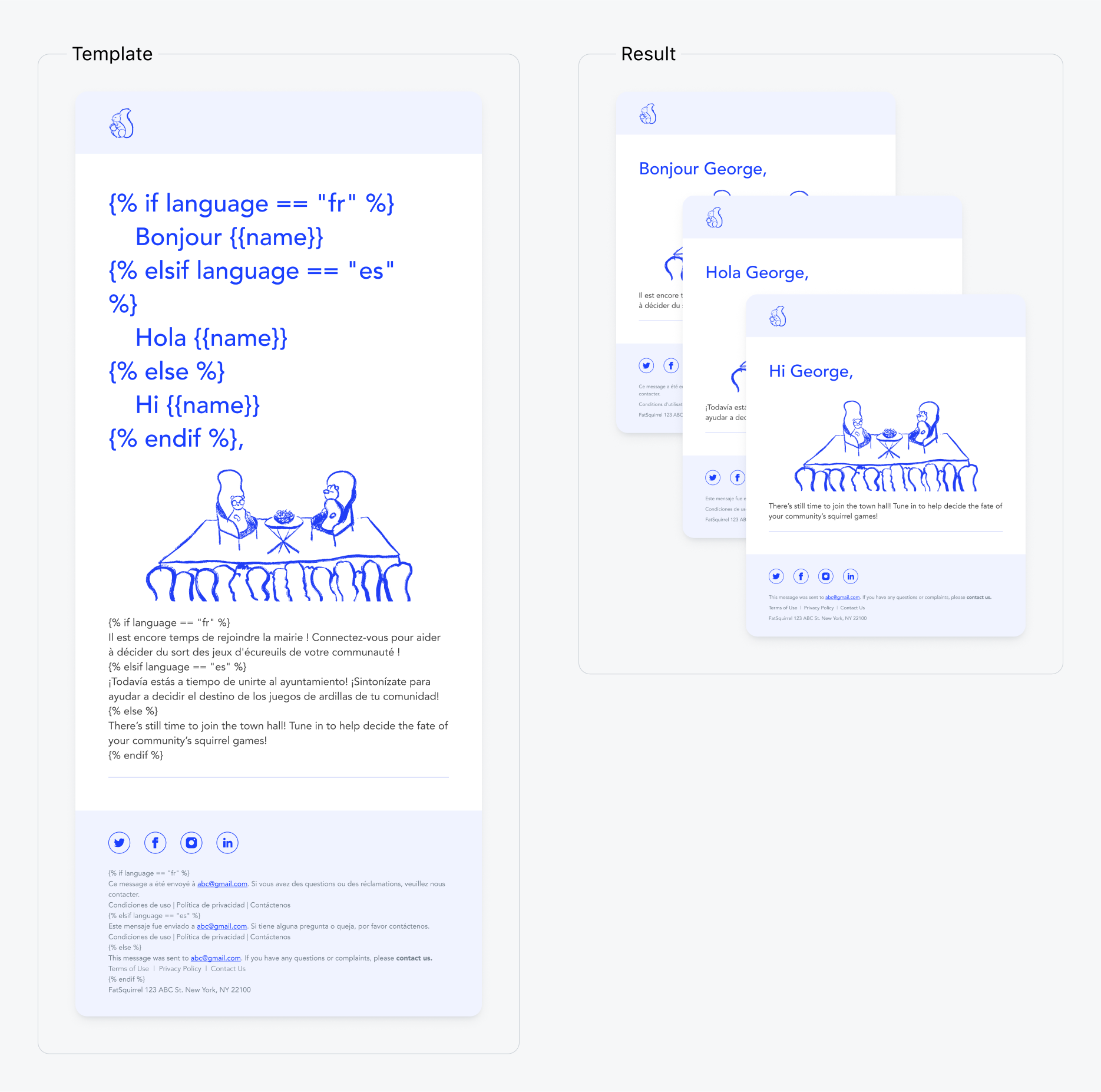
Option 2: Liquid syntax
Use Liquid syntax and property or tag substitution to create conditional statements in the message and render the appropriate content based on the user’s language.{% assign language = subscription.language %}
{% if language == 'fr' %}
Bonjour {{ name }}!
{% elsif language == 'es' %}
Hola {{ name }}!
{% else %}
Hi {{ name }}!
{% endif %}
Example of a multi-language email template using Liquid syntax.
Option 3: Dynamic Content
Use Dynamic Content which involves creating and uploading a CSV file with the languages you support.
API sending
Using the Create message API, you can:
- Target language segments or filters like you would with the dashboard.
- Create message Templates with Liquid syntax utilizing
custom_data, property or tag substitution. See Message Personalization for more details on these options.
custom_data bulk personalization example:{% assign eid = message.custom_data.users[subscription.external_id] %}
Hi {{ eid.first_name }}, you have {{ eid.points }} points. Your level is {{ eid.level }}.
{
"app_id": "YOUR_APP_ID",
"template_id": "YOUR_TEMPLATE_ID",
"include_aliases": {
"external_id": ["user123", "user456"]
},
"custom_data": {
"users": {
"user123": { "first_name": "John", "points": "150", "level": "Gold" },
"user456": { "first_name": "Sarah", "points": "200", "level": "Platinum" }
}
}
}
Customer sees:
- “Hi John, you have 150 points. Your level is Gold.”
- “Hi Sarah, you have 200 points. Your level is Platinum.”
Dashboard - Segments
To send a language-specific In-App Message to each language you need to support:
- Create a segment for each language.
- Create an in-app message per language.
- Send each to its corresponding segment.
Tag substitution
Use Liquid syntax and tag substitution to create conditional statements in the message and render the appropriate content based on tags.Only Tag substitution is supported for in-app messages.
language : german
first_name : Jon
{% assign lang = language%}
{% if lang == "english" %}
Good day {{first_name}}!
{%- elsif lang == 'german' -%}
Guten Tag {{first_name}}!
{%- elsif lang == 'spanish' -%}
Buenos Dias {{first_name}}!
{%- elsif lang == 'french' -%}
Bonjour {{first_name}}!
{% else %}
Hello {{first_name}}!
{% endif %}
Dashboard sending
From Messages > SMS > New Message or Templates, choose from:Option 1: Segments
- Create a segment for each language.
- Create a template per language.
- Send each to its corresponding segment.
Option 2: Dynamic Content
Use Dynamic Content which involves creating and uploading a CSV file with the languages you support.
API sending
The contents and headings fields support multiple languages: {
"contents": {
"en": "English content",
"fr": "French content"
},
"headings": {
"en": "English heading",
"fr": "French heading"
}
}
Supported languages
Language code maps to the language user property in the ISO 639-1 code 2-letter format. We support the following language codes.
If the language code is not included in the pop-up and CSV template, then this language is not supported. We recommend using the next best language and sending us a product request to support@onesignal.com
| Language | Language Code |
|---|
| English | en |
| Arabic | ar |
| Azerbaijani | az |
| Bosnian | bs |
| Catalan | ca |
| Chinese (Simplified) | zh-Hans |
| Chinese (Traditional) | zh-Hant |
| Croatian | hr |
| Czech | cs |
| Danish | da |
| Dutch | nl |
| Estonian | et |
| Finnish | fi |
| French | fr |
| Georgian | ka |
| Bulgarian | bg |
| German | de |
| Greek | el |
| Hindi | hi |
| Hebrew | he |
| Hungarian | hu |
| Indonesian | id |
| Italian | it |
| Japanese | ja |
| Korean | ko |
| Latvian | lv |
| Lithuanian | lt |
| Malay | ms |
| Norwegian | nb |
| Persian | fa |
| Polish | pl |
| Portuguese | pt |
| Punjabi | pa |
| Romanian | ro |
| Russian | ru |
| Serbian | sr |
| Slovak | sk |
| Spanish | es |
| Swedish | sv |
| Thai | th |
| Turkish | tr |
| Ukrainian | uk |
| Vietnamese | vi |