Use OneSignal’s built in AI to write and adjust push notifications to suit your needs and send the right message quickly and easily
The OneSignal AI Message Composer helps you quickly generate and fine-tune push notification content using a simple prompt. It’s designed to help you strike the right tone and messaging for your audience—whether you’re starting from scratch or optimizing an existing message.With just one prompt, the AI can generate a complete push notification or enhance your current text. You can continue refining your message by selecting predefined tone styles or entering additional instructions to get closer to your desired output.
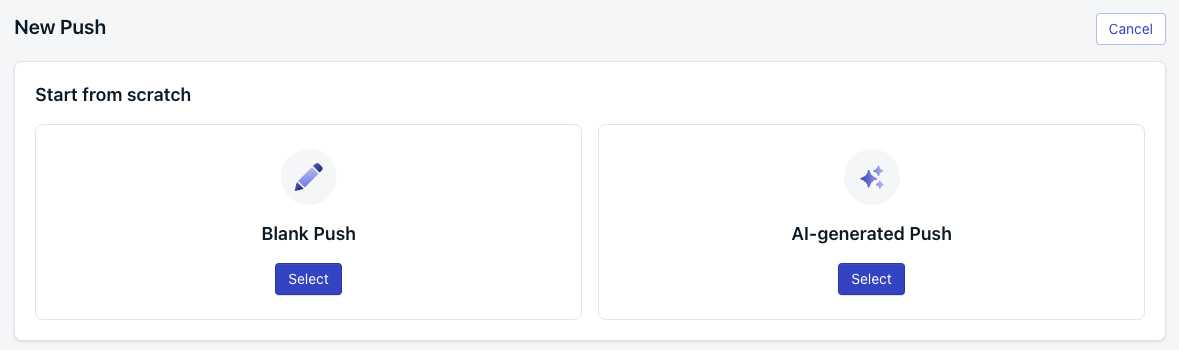
In the OneSignal dashboard, click ”+ Create”, select “Push”, then choose “AI-generated Push”.
Image showing 'AI-generated Push' option
2
Describe your message
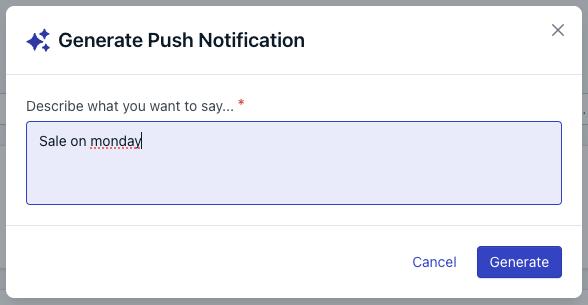
Enter a description of what you want to say, or choose from the predefined prompt suggestions. Then click “Generate” to create the initial message.
Image showing AI input box
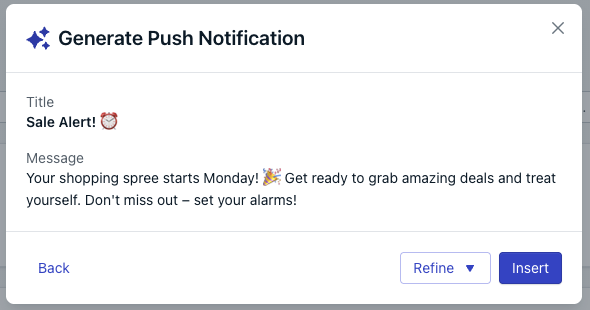
Image showing AI-generated message
3
Refine your message
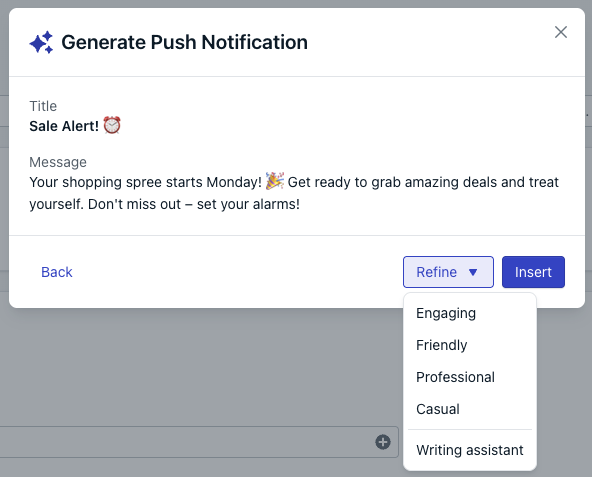
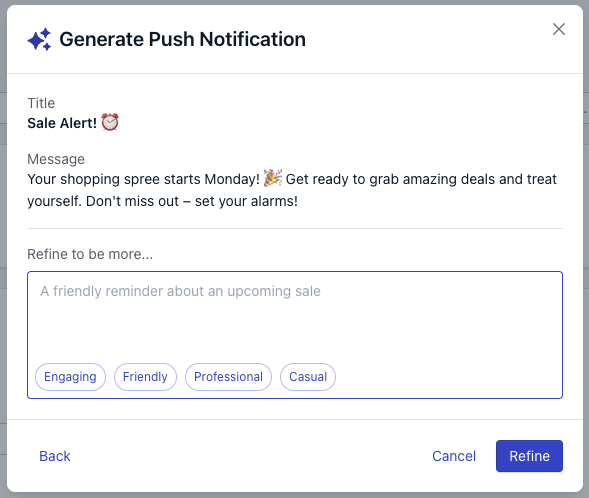
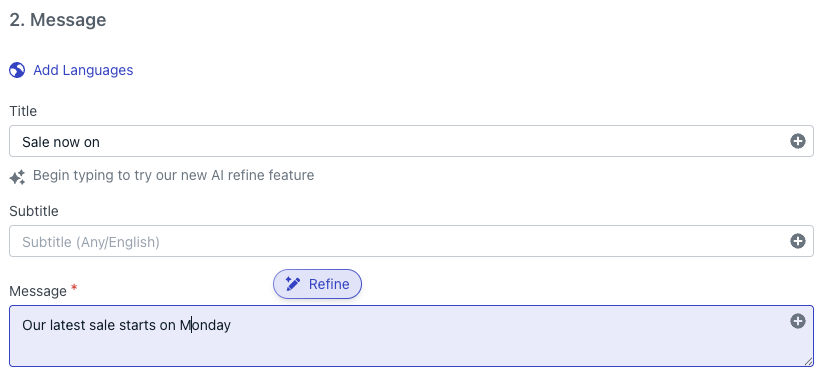
To adjust tone or content, click “Refine”. You can choose from preset
tonal options or select “Writing Assistant” to enter a custom prompt for
further refinements.
Image showing AI composer refine option
Image showing AI composer writing assistant option
4
Insert your message
Once you’re satisfied with the message or ready to make final manual edits,
click “Insert” to add the AI-generated content to your notification.
5
Finalize and send
Add any additional content or adjust settings as needed. Then complete the usual steps to send your push notification.