The OneSignal mobile SDK enables push notifications, in-app messages, and Live Activities in your iOS, Android, Huawei, and Amazon apps. Setup has two steps:
  1. Configure platform credentials — connect your FCM, APNs, HMS, or ADM credentials to OneSignal
  2. Integrate the SDK — install the OneSignal SDK for your platform and initialize it in your app
For websites, see Web SDK setup.

Configure platform credentials

Each platform requires its own push credentials. Configure the credentials for every platform your app supports before integrating the SDK.

Configure your OneSignal app and platform

Configure your OneSignal app with the platforms you support — Apple (APNs), Google (FCM), Huawei (HMS), and/or Amazon (ADM).
If your organization already has a OneSignal account, ask to be invited to the Organization. Otherwise, sign up for a free account to get started.
1

Create or select your app

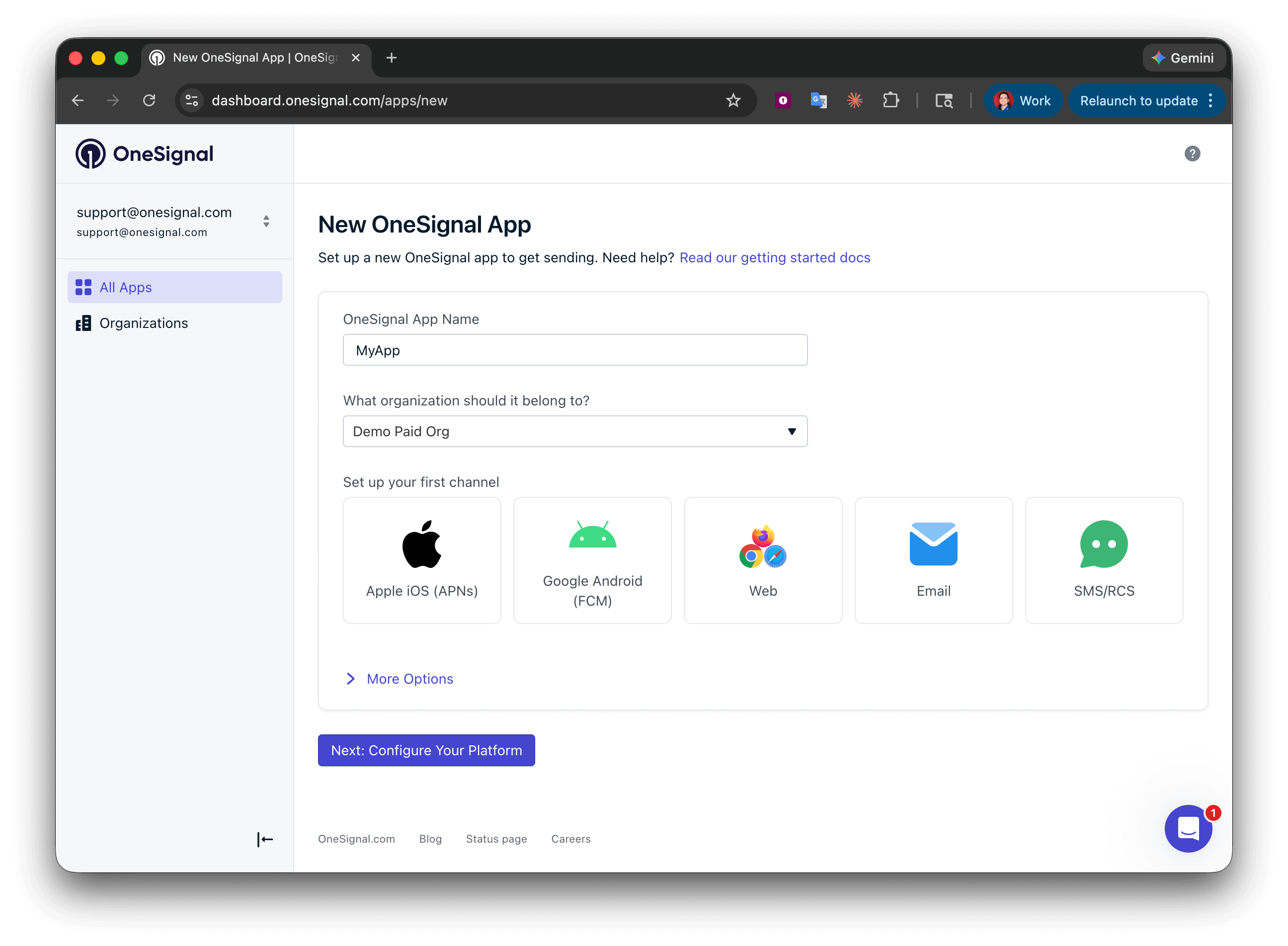
Create a new app by clicking New App/Website, or add a platform to an existing app in Settings > Push & In-App. Select the platform(s) you want to configure and click Next: Configure Your Platform.
OneSignal dashboard showing the new app setup flow with Organization name, app name, and channel selection
2

Configure platform credentials

Enter the credentials for your platform:Click Save & Continue after entering your credentials.
3

Save your App ID and install the SDK

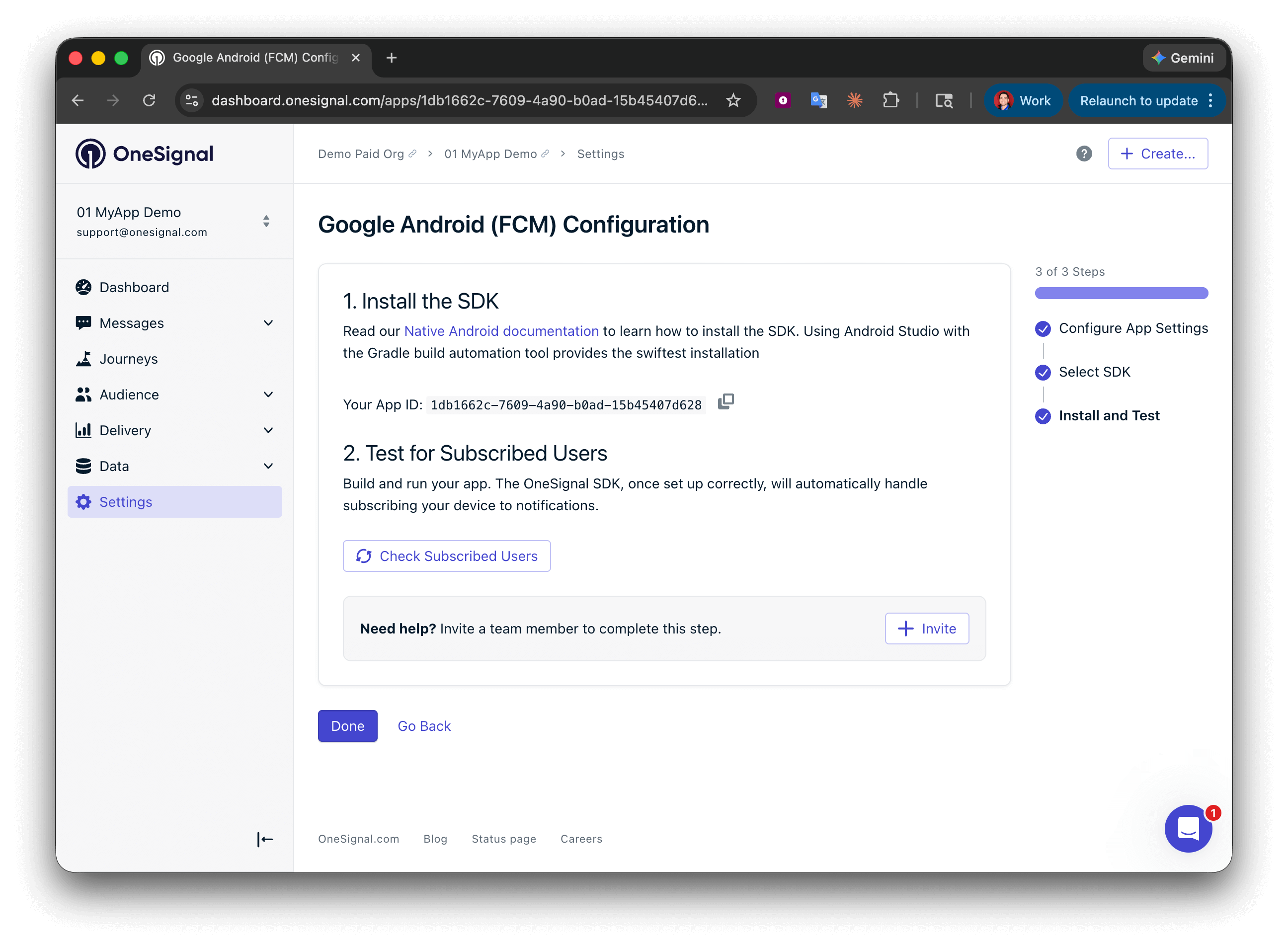
Your App ID is displayed on the final screen. Copy and save it — you need it when initializing the SDK. Select your SDK platform, then follow the setup guide.
OneSignal dashboard showing the App ID and team invite option after setup

Integrate the SDK

Other integrations


SDK versions


FAQ

Are the SDKs required?

No, but they’re highly recommended and open source on GitHub. You can integrate OneSignal using only the REST API, but the SDKs simplify the process significantly, especially for handling push notifications across platforms.

What can I do without the SDK?

You can use the following APIs directly:
In-app messages and Live Activities require the SDK — they cannot be delivered via API alone.

Why do you recommend using the SDKs?

Push notifications have platform-specific requirements that the SDKs handle for you, including:
  • Obtaining push tokens across Android, iOS, Huawei, and web
  • Managing Subscription status and User opt-in prompts
  • Displaying and processing push notifications on the client
Apple’s APNs and Google’s FCM use different payload formats. The OneSignal SDK parses custom payloads to display and track messages accurately. Maintaining this manually adds significant complexity. Learn more: Build vs. Buy: What Goes Into Building a Push Notification Platform.

Do I need separate OneSignal apps for iOS and Android?

No. A single OneSignal app supports multiple platforms — iOS, Android, Huawei, Amazon, and web. Configure each platform’s credentials in Settings > Push & In-App and they all share the same app, Users, and segments.

Can devices in China or on Huawei receive push notifications?

If the device has Google Play Services, it receives push through FCM. If the app was downloaded from the Huawei AppGallery (including non-HarmonyOS Huawei devices running Android), it receives push through HMS — set up the Huawei SDK to enable this. OneSignal defaults to FCM for devices that support both HMS and FCM. You can prefer HMS over FCM if needed.